


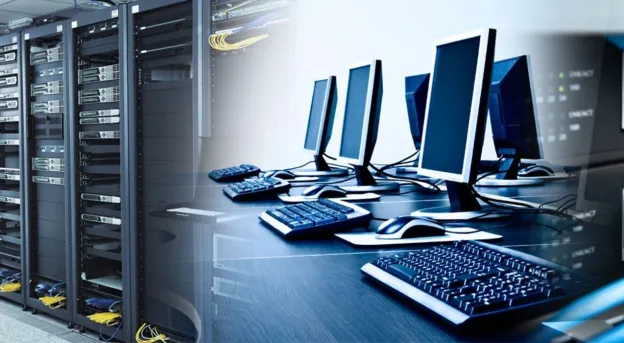
A computer that has been replaced by a newer model can easily be mistaken for something that has reached the end of its life. In reality, age and usefulness are not always the same thing. Businesses replacing outdated systems may find that an IT scrap purchaser can help them move retired equipment out of storage while giving potentially reusable hardware and recoverable materials a more appropriate destination. The important step is knowing what is actually being discarded before deciding how it should be handled.
The Difference Between Old and Useless
Technology changes quickly, particularly in business environments where companies regularly upgrade systems to improve performance and security. A five-year-old computer may no longer meet the requirements of a modern workstation, but that does not automatically mean every component inside it has lost all value.
Processors, memory modules, storage devices, circuit boards, power supplies, cables, and other components can have different lifecycles. Some may remain functional even when the complete system is no longer suitable for its original role. Looking at equipment component by component can therefore provide a more realistic picture of what remains useful.
Why Businesses Often Misjudge Retired Equipment
One reason old IT equipment accumulates is that businesses tend to evaluate it from the perspective of its original purpose. If a desktop can no longer support the company’s current software or workload, it is often labelled obsolete. That decision may be correct for the business, but it does not necessarily describe the condition of every component inside the machine.
Another common issue is uncertainty. Employees may not know whether an old computer should be sold, reused, dismantled, or recycled. Rather than making an informed decision, organisations sometimes leave equipment in storage until there is no practical alternative. A structured assessment can prevent this uncertainty from becoming years of unnecessary accumulation.
What Makes an IT Asset Worth Assessing?
The condition of equipment is one of the most obvious factors. A working desktop with intact components can have a different potential from a machine that has suffered physical damage or has missing parts. Age, specifications, functionality, and the type of hardware involved can all influence how equipment should be handled.
Quantity can matter as well. One outdated computer may seem insignificant, but a business clearing fifty or a hundred machines has a completely different disposal requirement. Bulk equipment can include a mixture of working, partially functional, and damaged devices, making proper sorting particularly important before the equipment leaves the organisation.
Used Equipment Can Have a Second Chapter
A device does not necessarily need to remain in its original workplace to have continued usefulness. Equipment that has become unsuitable for a demanding corporate environment may still work for less intensive applications. Depending on its condition, it may potentially be reused, refurbished, or directed toward another suitable purpose.
This is one reason businesses should avoid automatically treating every retired computer as scrap. An assessment can help distinguish between equipment that still has functional potential and equipment that is better suited to material recovery. Making that distinction supports a more thoughtful approach to technology retirement.
Why Bulk IT Disposal Requires Planning
Large-scale equipment clearances can become complicated without preparation. A company may be dealing with desktops, laptops, monitors, servers, printers, networking devices, cables, storage media, and accessories at the same time. Moving everything together without categorisation can make it difficult to identify what is functional, damaged, sensitive, or ready for recycling.
A basic inventory can simplify the process. Businesses can record quantities, equipment types, condition, and relevant asset information before collection. This creates a clearer overview and makes it easier to communicate what is available to a buyer or recycling partner.
Data Should Never Be an Afterthought
The physical value of an old computer is only one part of the equation. Storage devices may contain information that businesses cannot afford to expose, even when the equipment itself is obsolete. Customer information, employee records, internal documents, financial files, credentials, and other sensitive data may remain on devices long after they stop being used.
Before equipment is transferred, businesses should follow appropriate data-erasure procedures and confirm that storage devices have been handled according to their security requirements. Simply deleting visible files is not always sufficient. Technology retirement should therefore involve both physical asset management and information-security considerations.
Where Scrap Fits Into the Picture
Not every device can be reused. Some equipment may be too old, damaged, incomplete, or incompatible with modern systems. In those cases, material recovery and responsible recycling become more appropriate options. Electronic devices contain a mixture of materials that can be separated and processed through suitable recycling channels.
This is where an organized used IT scrap buyer Dubai process can become relevant for businesses managing large quantities of retired equipment. Instead of allowing obsolete devices to remain in storage indefinitely, companies can assess what they have and determine an appropriate route for equipment that is no longer required.
A Better Way to Approach Technology Replacement
Businesses often plan technology upgrades carefully. They compare specifications, budgets, software compatibility, security requirements, and implementation schedules before purchasing new equipment. The equipment being replaced deserves the same level of attention.
Adding an end-of-life plan to the upgrade process can make technology management more complete. When a new system is ordered, the business can simultaneously identify which older assets will be retired, how their data will be handled, and where the equipment should go afterwards. This prevents disposal from becoming an emergency task after installation is complete.
Turning Old Hardware Into a Managed Resource
The most useful shift is to stop viewing retired IT equipment as one large category called “old electronics.” Different devices and components can have very different conditions and potential. A working laptop, damaged monitor, obsolete server, and box of networking equipment should not necessarily follow the same disposal path.
A more organised approach allows businesses to identify those differences before equipment leaves their premises. Some assets may be suitable for continued use, others may be appropriate for resale or refurbishment, and the remainder can enter responsible recycling channels. This makes the process more efficient while reducing unnecessary waste.
Conclusion
Technology inevitably becomes outdated, but that does not mean every retired device should immediately be treated as worthless. Assessing condition, protecting data, separating equipment by type, and choosing an appropriate end-of-life route can help businesses manage their old technology more effectively. For organizations looking to clear retired IT equipment while considering reuse and responsible recovery, eWaste IT Recycling offers a practical option for handling technology that has reached the end of its business lifecycle.